I designed a mobile interface to manage autonomous Hexabots operating in a lunar colony, enabling users to assign tasks, monitor robot activity, and receive real-time updates. The solution focused on reducing cognitive load and supporting fast task creation in time-critical environments.
I focused on a voice-first task creation flow, clear robot status visibility, and a structured task lifecycle to improve operational awareness. The interface prioritizes large interaction areas, real-time feedback, and simplified navigation to support use in challenging physical conditions.
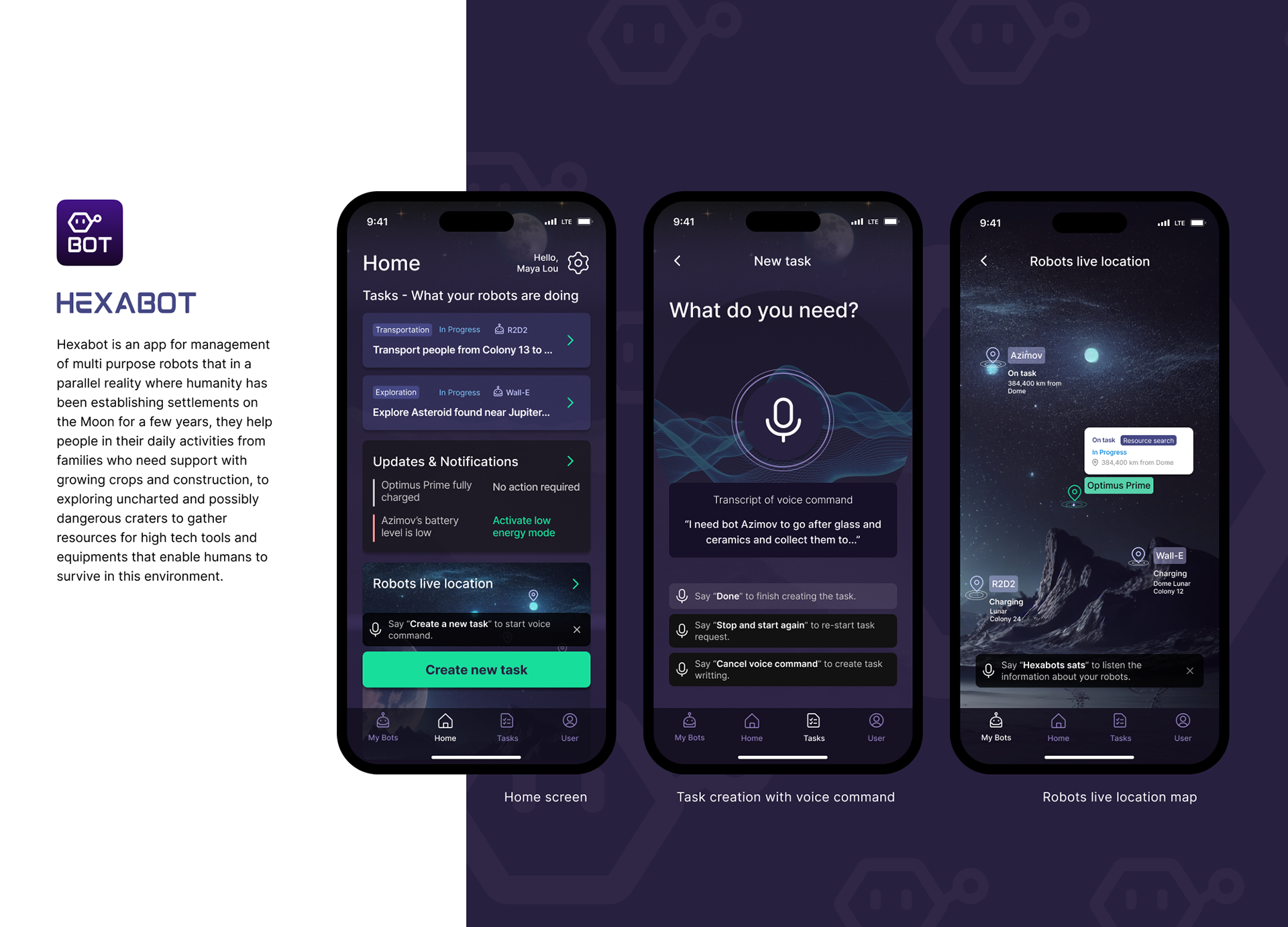
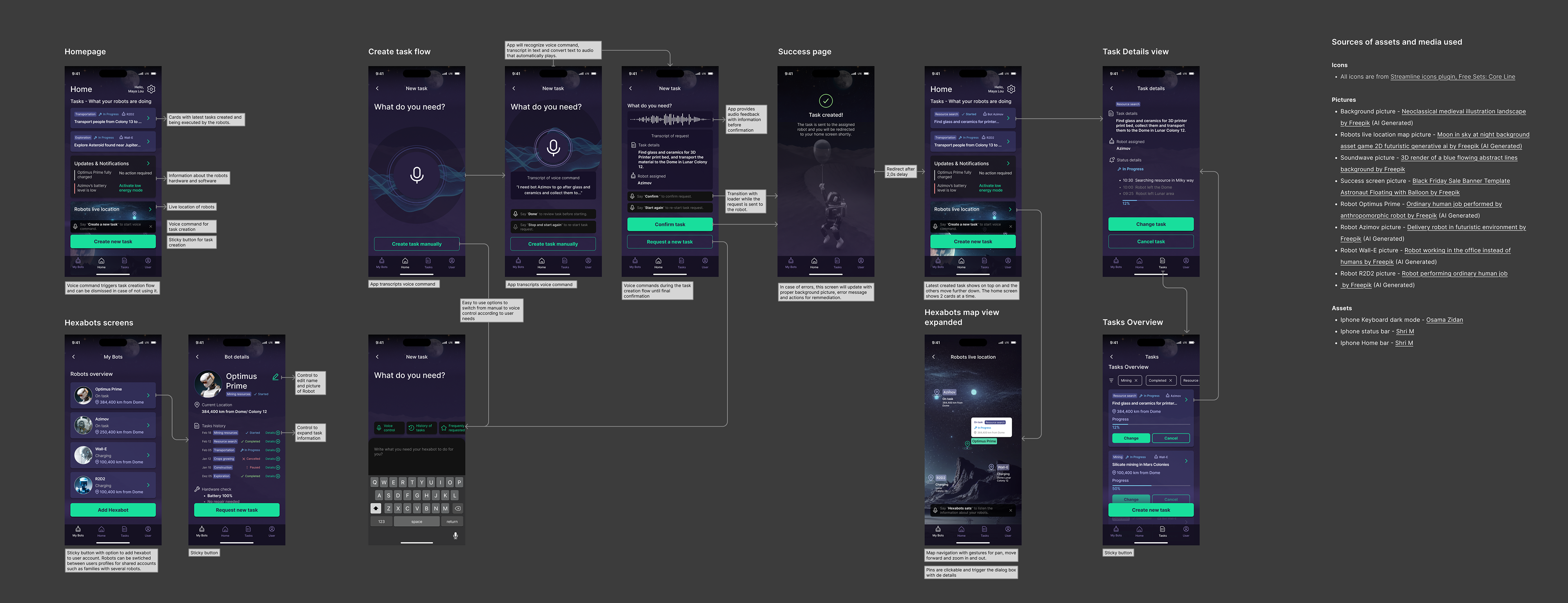
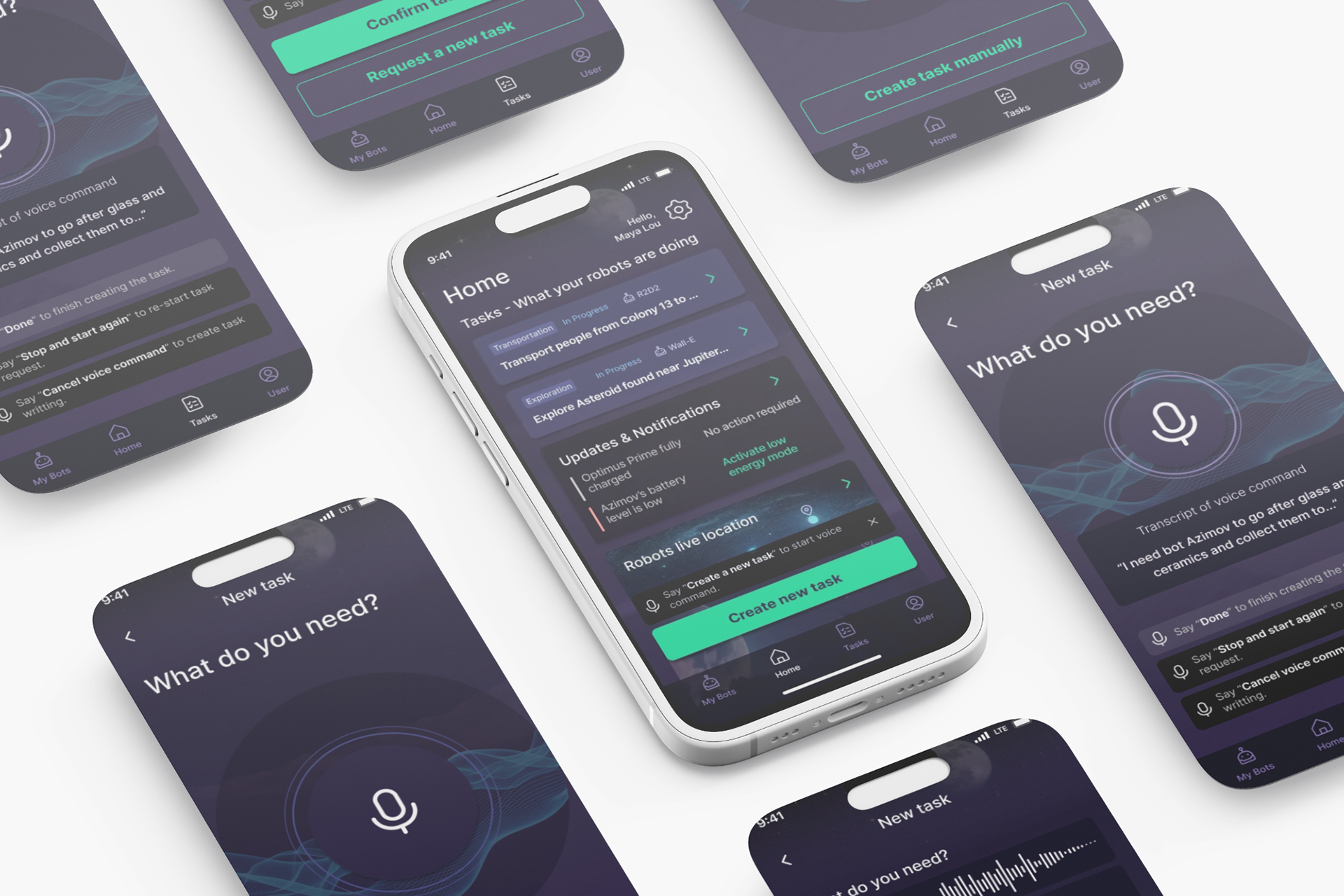
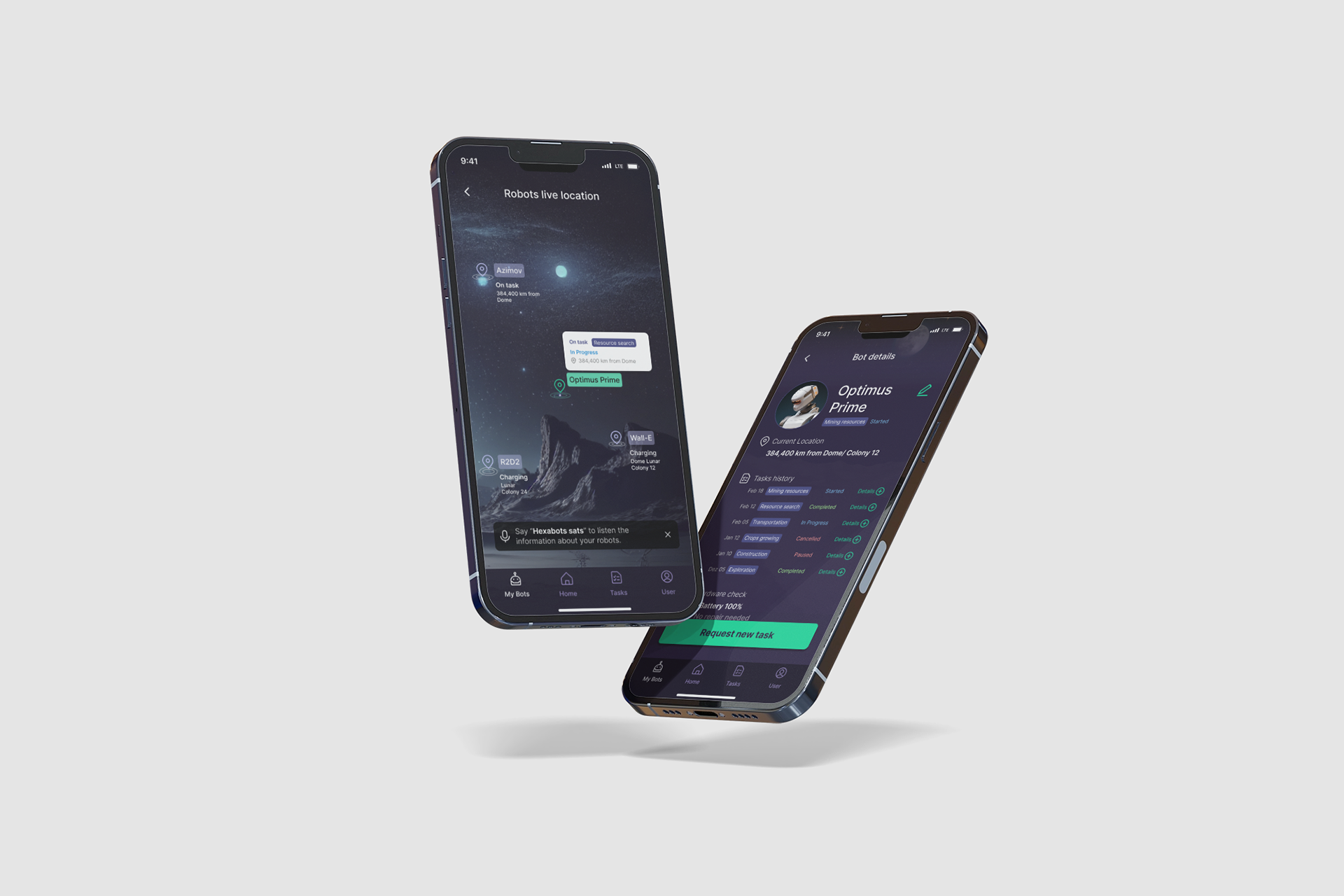
The final submission included a 12-screen wireflow and three high-fidelity screens demonstrating the core task assignment and monitoring experience.
I was invited via LinkedIn to participate in Designflows 2025, a UX/UI competition organized by Bending Spoons S.p.A..
The challenge asked participants to design a mobile app to manage autonomous robots in a lunar colony. The robots, called Hexabots, support both research teams and families by performing essential tasks such as collecting materials, exploring terrain, and maintaining infrastructure.
The goal of the app was to allow users to quickly assign tasks, monitor robot activity, and receive progress updates in an environment where time, safety, and usability are critical.
The Problem
The existing system was described as a rudimentary interface built by engineers, lacking a strong UX foundation.
Users needed to manage multiple robots while operating in harsh environmental conditions, often wearing gloves or helmets and working under time pressure.
From the brief, three core challenges emerged:
- Speed of task assignment
65% of tasks are assigned in response to urgent needs.
65% of tasks are assigned in response to urgent needs.
- Frequent monitoring
Users check robot status 7–10 times per day.
Users check robot status 7–10 times per day.
- Operational constraints
Interfaces must work in environments with limited dexterity and visibility.
Interfaces must work in environments with limited dexterity and visibility.
The design needed to balance efficiency, clarity, and accessibility while supporting complex robotic operations.
My Design Strategy
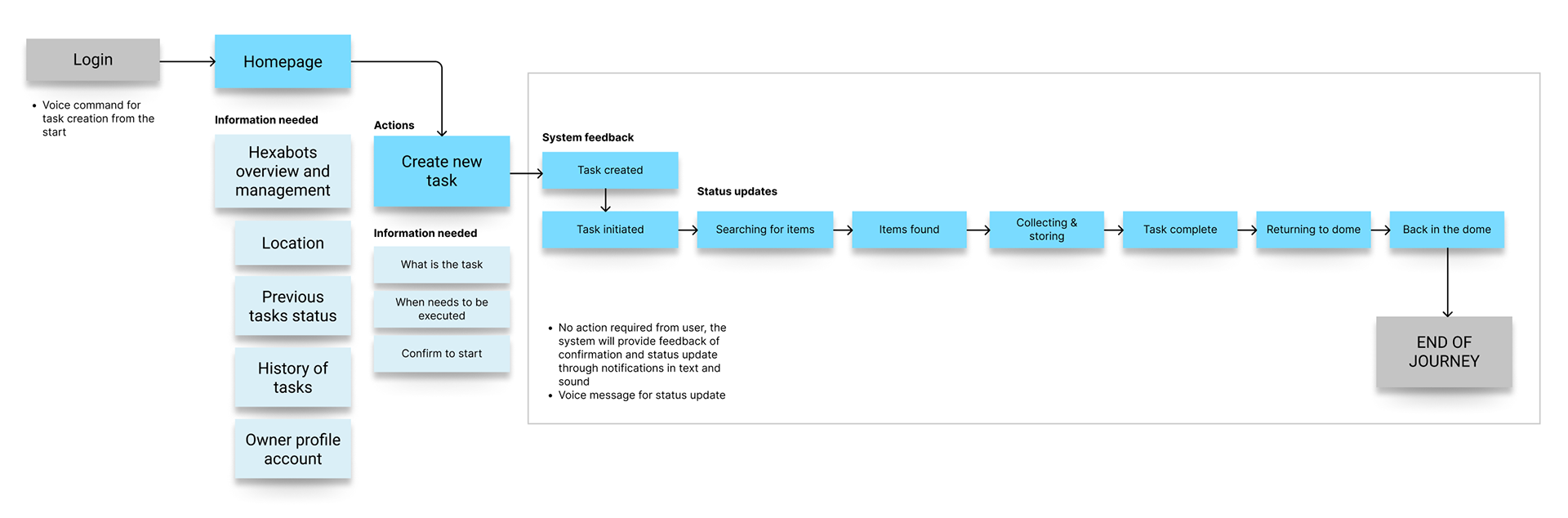
Before designing screens, I mapped the core operational flow of
managing a Hexabot task:
1. User checks robot status
2. User assigns a task
3. Robot executes the task
4. User receives progress updates
5. Task completion is confirmed
This led me to focus on three UX priorities:
1. Reduce cognitive load
Users should understand the status of multiple robots instantly.
2. Enable rapid task creation
Assigning a new task must take as few steps as possible.
3. Provide continuous system feedback
Users should always know what the robot is doing without needing to search for updates.
Defining the Task Journey
The main scenario required assigning a Hexabot to collect materials for a turbine prototype. I structured the interaction into a clear task lifecycle:
Task Created → Task Initiated → Searching → Items Found → Collecting → Task Complete → Returning → Back to Dome
Structuring the Information Architecture
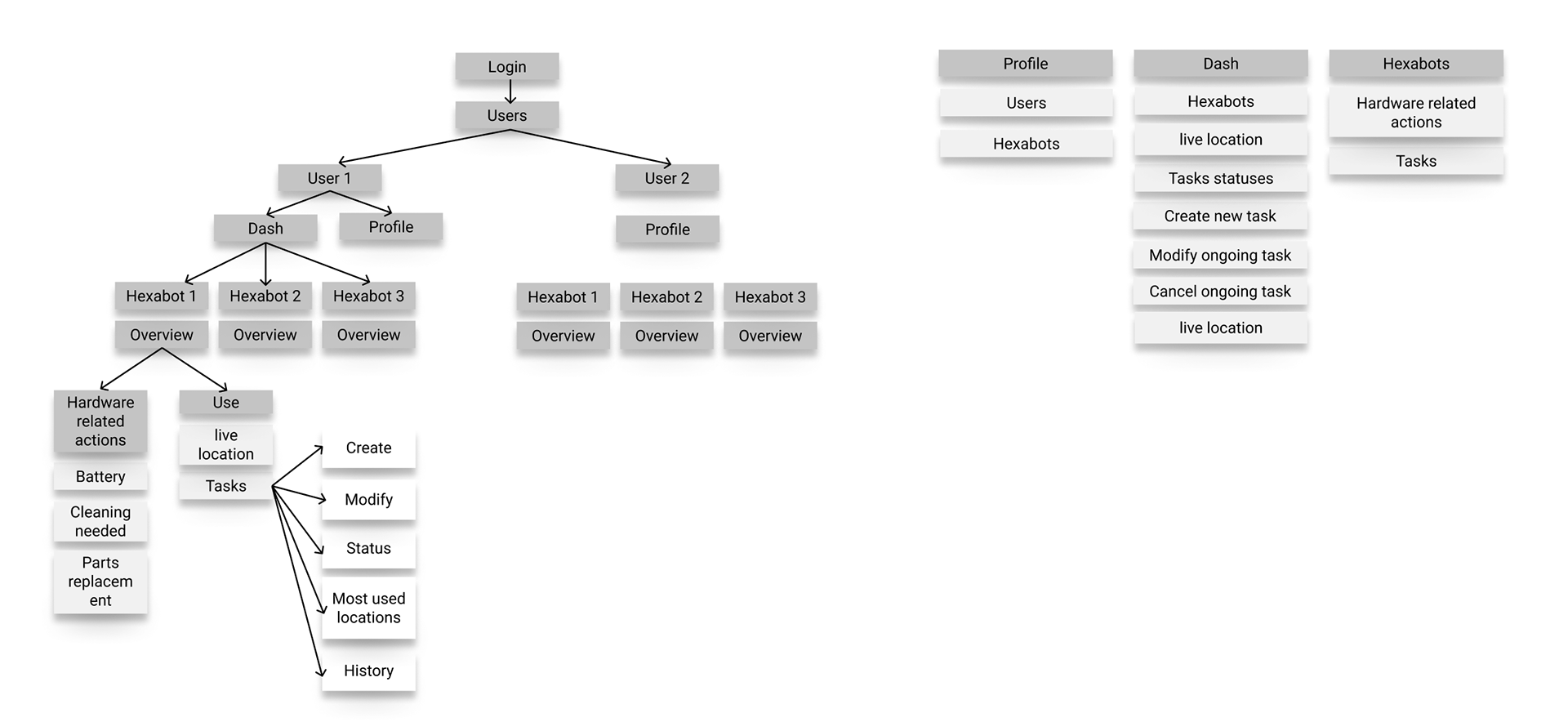
I then mapped the navigation structure to support two main workflows:
Monitoring robots
Users need fast access to:
- Robot overview
- Live location
- Current tasks
- Task history
- Hardware status (battery, maintenance)
Managing tasks
Users should be able to:
- Create new tasks
- Modify ongoing tasks
- Cancel tasks
- Track task progress
This resulted in a structure centered around three primary areas:
Dashboard
Overview of robots and active tasks
Overview of robots and active tasks
Hexabots
Detailed robot status and hardware management
Detailed robot status and hardware management
Tasks
Task creation, monitoring, and management
Task creation, monitoring, and management
This separation allows users to either monitor activity or intervene quickly when needed.
Core Interaction: Task Creation
Because most tasks are assigned under time pressure, I focused on making task creation extremely fast.
Users can create tasks in two ways:
Voice command
Designed for situations where users may be wearing gloves or operating equipment.
- The system transcribes the voice request and confirms the task details before sending it to the robot.
Manual task input
A simple form allows users to specify:
- required materials
- destination
- task description
Design for environmental constraints
The lunar setting introduced usability constraints and to address them I implemented design principles:
Large touch targets
To support interaction while wearing gloves.
Voice-first interaction
Key actions can be triggered via voice commands.
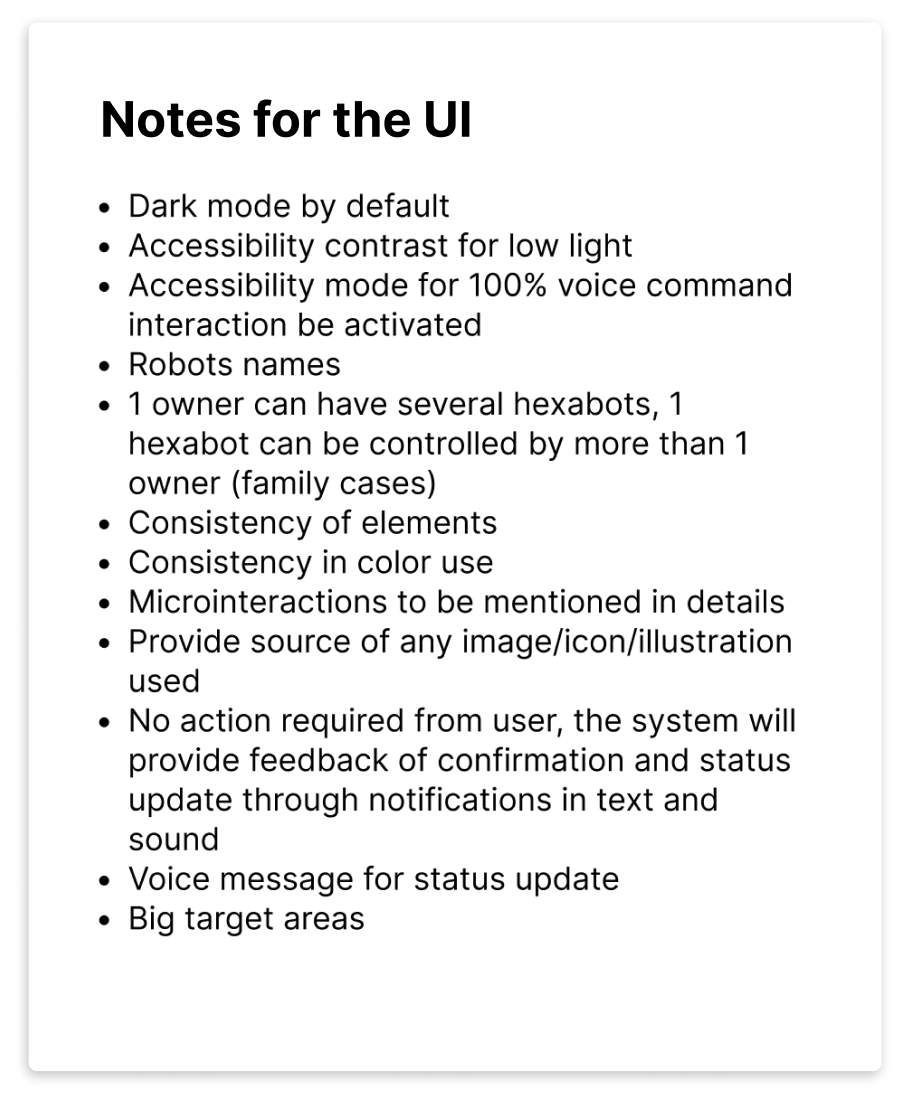
Dark mode by default
Improves readability in low-light environments and space habitats.
Clear visual status indicators
Robot status and task progress are represented with clear labels and progress states.
These decisions ensure the interface remains usable in high-stress operational environments.
Solution
Key Takeaways
This challenge highlighted the importance of designing for context and constraints.
Even in a speculative setting, the principles remain relevant to real-world product design:
- simplify complex systems
- prioritize clear feedback loops
- design for the user’s physical environment
- enable fast decision-making under pressure